


Here is a concise guide to Setup Github Actions.
1. Generating SSH Keys for GitHub
Login to your server which hosting your application.
ed25519 is the recommended algorithm (faster and more secure than RSA).
ssh-keygen -t ed25519
Save location: Press Enter to use the default (/root/.ssh/id_ed25519).
Passphrase: Press Enter twice to leave it empty (required for automated deployments).
2. Get Public Key for GitHub
In order for GitHub to recognize your computer, you must provide its “Public Key”:
cat ~/.ssh/id_ed25519.pub
Copy the entire text that appears (usually starting with ssh-ed25519 …).
Go to your GitHub Repository > click Settings > click Deploy Keys > click Add Deploy Key button.
Paste it there and give it a name, for example “My Server Keys”.
3. Get Private Key for GitHub Actions (Secret).
This is the “secret” key for GitHub Actions to access your server:
cat ~/.ssh/id_ed25519
Copy the entire contents, including the lines:
-----BEGIN OPENSSH PRIVATE KEY----- to -----END OPENSSH PRIVATE KEY-----
In your GitHub Repository, go to: Settings > Secrets and variables > Actions > New repository secret.
Name it SSH_KEY and Paste its contents there.
Also create new repository secret for SSH_USER (ssh user name) and SSH_HOST (your server IP address or domain name).
4. Make Sure the Server Recognizes Its Own Key
Finally, to make the server allow connections from anyone holding the key (in this case GitHub Actions), you need to add the public key to the list of allowed “entries”:
cat ~/.ssh/id_ed25519.pub >> ~/.ssh/authorized_keys
chmod 600 ~/.ssh/authorized_keys
chmod 700 ~/.ssh
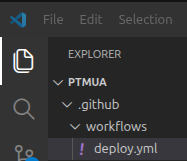
5. Create deploy.yml in your project folder
Create .github/workflows/deploy.yml
name: Auto Deploy
on:
  push:
    branches: [ main ] # change to your branch

jobs:
  deploy:
    runs-on: ubuntu-latest
    steps:
      - name: Deploy via SSH
        uses: appleboy/ssh-action@v1.0.3
        with:
          host: ${{ secrets.SSH_HOST }}
          username: ${{ secrets.SSH_USER }}
          key: ${{ secrets.SSH_KEY }}
          script: |
            cd /home/user/public_html/
            git pull origin main
            # add other command, for example: composer install

