


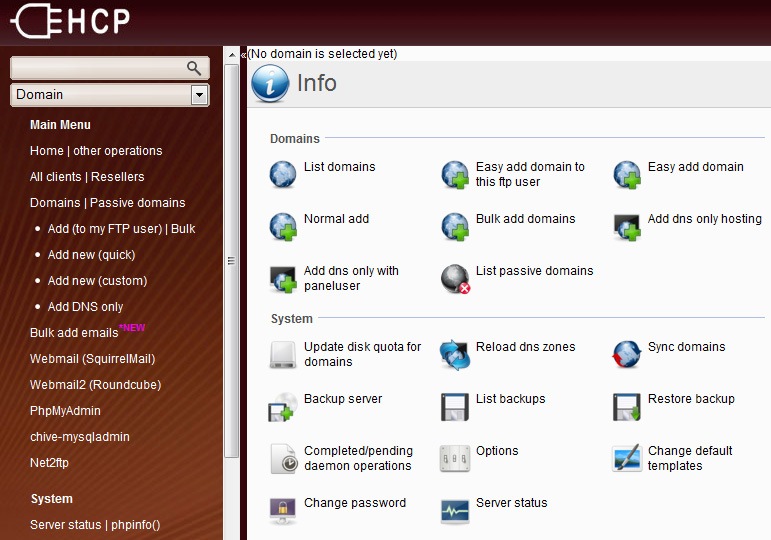
EHCP is a free and open source web hosting control panel. This guide will show you how to install it on Ubuntu server.
- Check /etc/apt/sources.list. It should have the following line (replace oneiric with your version).
deb http://archive.ubuntu.com/ubuntu/ oneiric main restricted

deb-src http://archive.ubuntu.com/ubuntu/ oneiric main restricted

deb http://archive.ubuntu.com/ubuntu/ oneiric-updates main restricted

deb-src http://archive.ubuntu.com/ubuntu/ oneiric-updates main restricted

deb http://archive.ubuntu.com/ubuntu/ oneiric universe

deb-src http://archive.ubuntu.com/ubuntu/ oneiric universe

deb http://archive.ubuntu.com/ubuntu/ oneiric-updates universe

deb-src http://archive.ubuntu.com/ubuntu/ oneiric-updates universe

deb http://archive.ubuntu.com/ubuntu/ oneiric multiverse

deb-src http://archive.ubuntu.com/ubuntu/ oneiric multiverse

deb http://archive.ubuntu.com/ubuntu/ oneiric-updates multiverse

deb-src http://archive.ubuntu.com/ubuntu/ oneiric-updates multiverse

deb http://archive.ubuntu.com/ubuntu/ oneiric-backports main restricted universe multiverse

deb-src http://archive.ubuntu.com/ubuntu/ oneiric-backports main restricted universe multiverse

deb http://archive.canonical.com/ubuntu oneiric partner

deb-src http://archive.canonical.com/ubuntu oneiric partner

deb http://archive.ubuntu.com/ubuntu/ oneiric-security main restricted

deb-src http://archive.ubuntu.com/ubuntu/ oneiric-security main restricted

deb http://archive.ubuntu.com/ubuntu/ oneiric-security universe

deb-src http://archive.ubuntu.com/ubuntu/ oneiric-security universe

deb http://archive.ubuntu.com/ubuntu/ oneiric-security multiverse

deb http://archive.ubuntu.com/ubuntu/ oneiric-proposed restricted main multiverse universe

deb-src http://archive.ubuntu.com/ubuntu/ oneiric-security multiverse
You can edit the file using nano:
$ sudo nano /etc/apt/sources.list - Download EHCP, extract, and execute install script.
$ wget www.ehcp.net/ehcp_latest.tgz

$ tar -zxvf ehcp_latest.tgz

$ cd ehcp

$ ./install.sh - Follow on-screen questions.
MysQL root password:
Enter your name:
Enter your email:
Enter MySQL Root password:
EnterMySQLpassword for user 'ehcp':
Enter EHCP panel admin password:
Enter hostname:
Enter IP:
Select language:
Install multimedia (ffmpg) program:
Postfix configuration => choose Internet Site
System mail name => type in yourdomain.com
Configuring courier-base => choose No
Configuring courier-ssl => choose Ok
Configuring phpmyadmin => choose apache2
Configuring phpmyadmin => Configure database for phpmyadmin with dbconfig-common => choose Yes
Configuring phpmyadmin => Password of the database's administrative user (enter root password)
Configuring phpmyadmin => MySQL application password for phpmyadmin (enter phpmyadmin password)
Configuring roundcube-core => Configure database for roundcube with dbconfig-common => choose Yes
Configuring roundcube-core => Database type to be used by roundcube => choose mysql
Configuring roundcube-core => Password of the database's administrative user (enter root password)
Configuring roundcube-core => MySQL application password for roundcube (enter roundcube password) - Done. Go to http://your_ip_address to go to EHCP.


why Configuring courier-base => choose No..? if i chose = yes , what will happen ..?
I chose No because I never use Courier’s web administration. You can choose Yes if you want.
can i use ehcp for my localhost as cpanel?
Yes, you can use EHCP for localhost by modifying hosts file to point your domain name to your EHCP IP address.
gimana caranya kalo pake debian gan? sources.list gmn?
Ubuntu adalah turunan dari Debian, bos. Sama persis caranya. Cobain deh.
looks like my installation froze while installing php5-curl. Final two lines before it just stopped doing anything:
Unpacking php5-curl (from …/php5-curl_5.4.6-1ubuntu1.1_amd64.deb) …
Processing triggers for php5-fpm …
I can see the default ehcp page, but no login page is found. The installer hasn’t moved for about 24 hours. Should I kill the installer and try again?
I’m on 12.10 Quantal Quetzal.
I have the same problem… Instalation hangs on processing triggers for php5-fpm… anybody have any sugestions?
gan, gimana caranya memperbaiki vsftpd is not running di ehcp??
harus tau penyebabnya dulu, bos.
mungkin konfigurasinya ada yg ngga beres.
bisa dicek di file log (/var/log/…).
min, gimana caranya merubah port 80 default ehcp ke port 8080??